

Loading
Explore the platform concept and architecture of openPASS.
The platform concept is shown in the following picture.
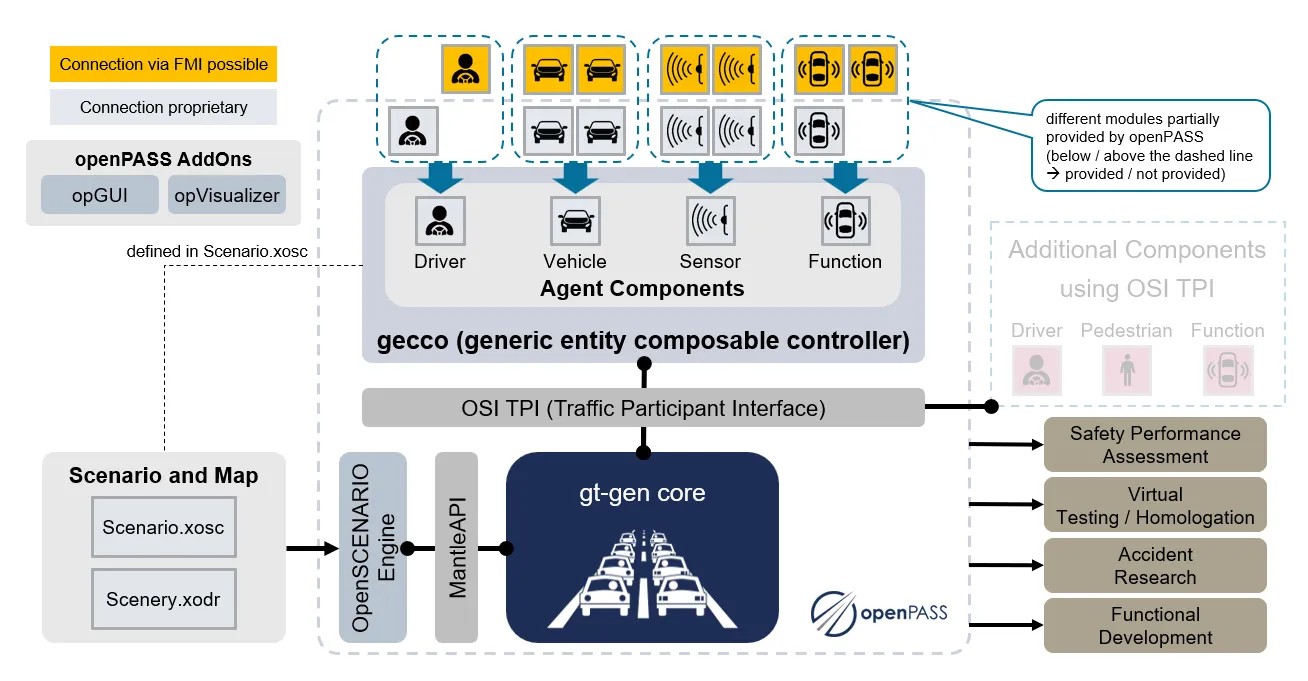
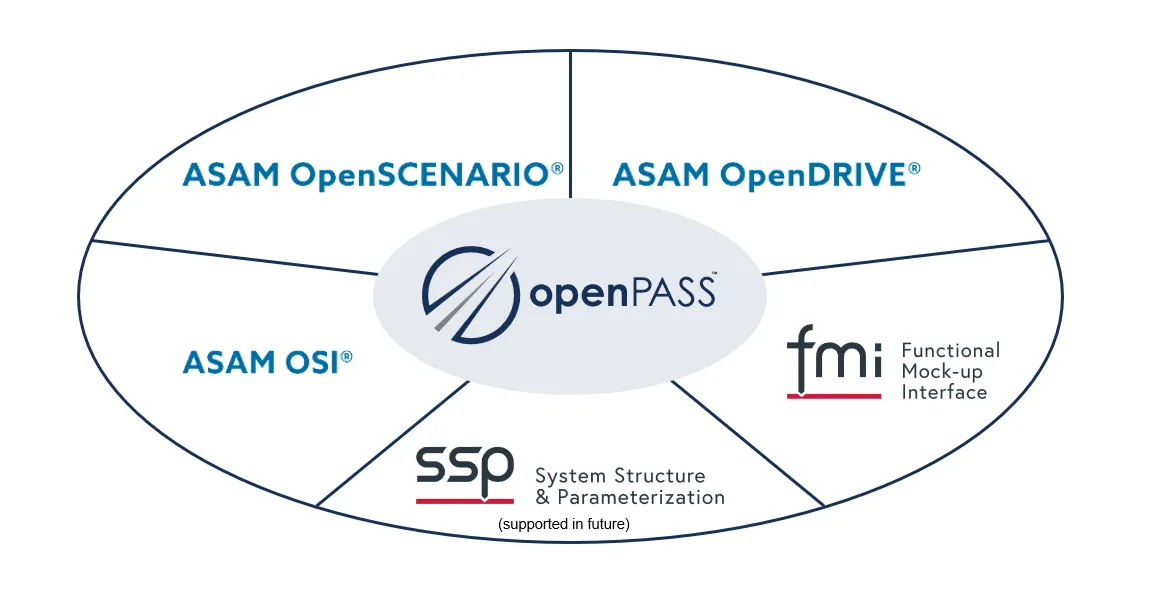
The platform is built in a modular manner. The simulation core calculates different simulation runs. Scenarios and agent components can connect to the core by standards and standardized interfaces such as ASAM OpenDRIVE, OpenSCENARIO and OSI as well as Modelica FMI and SSP (supported in future). The Eclipse openPASS Working Group provides simple examples of scenarios and agent components. Consequently, users can freely connect their own scenarios and agent components to the simulation core. Possible use cases of openPASS are accident research, functional development, safety performance assessment, virtual testing and homologation.
The two main parts of openPASS: the graphical user interface (GUI) and the simulation framework.
The GUI (opGUI) is a web application designed to simplify the configuration, execution, monitoring and post-processing of simulations. It supports users in performing a typical simulation workflow, which consists of the following steps:
The simulation framework is a stand-alone executable. It consists of:
The simulation is a mostly generic assembly of data I/O routines, scheduler and a collection of interfaces. The simulation core is performing the actual simulation.
The core modules and agent components belong to the simulation core application. Both communicate with the simulation core via interfaces and bound dynamically at runtime.
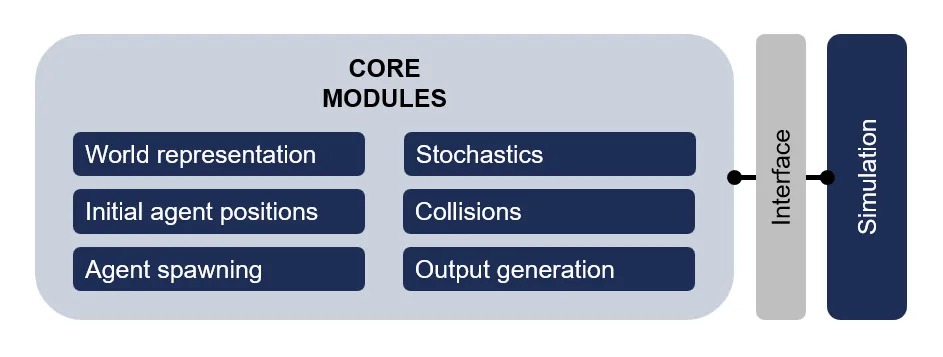
Core modules are all singletons and used by the simulation core and/or agent components. These are necessary for every simulation to run and cover basic needs like:
Agent components are used to define the complete behaviour and dynamics of each agent. A set of such components is then called system.
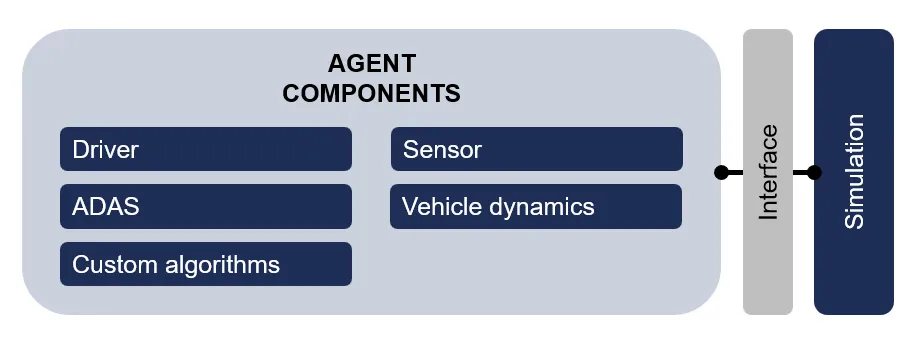
Unlike core modules, components can be freely selected and assembled by the user according to his scope of application. A typical system would consist of a sensor perceiving the environment, an algorithm performing analysis of this environment and making decisions and a dynamics algorithm receiving directives from the algorithm and calculating the actual physical simulation step. When assembling a system, the user shall of course care about connecting the chosen component via signals, which are understood by the sender and the receiver.
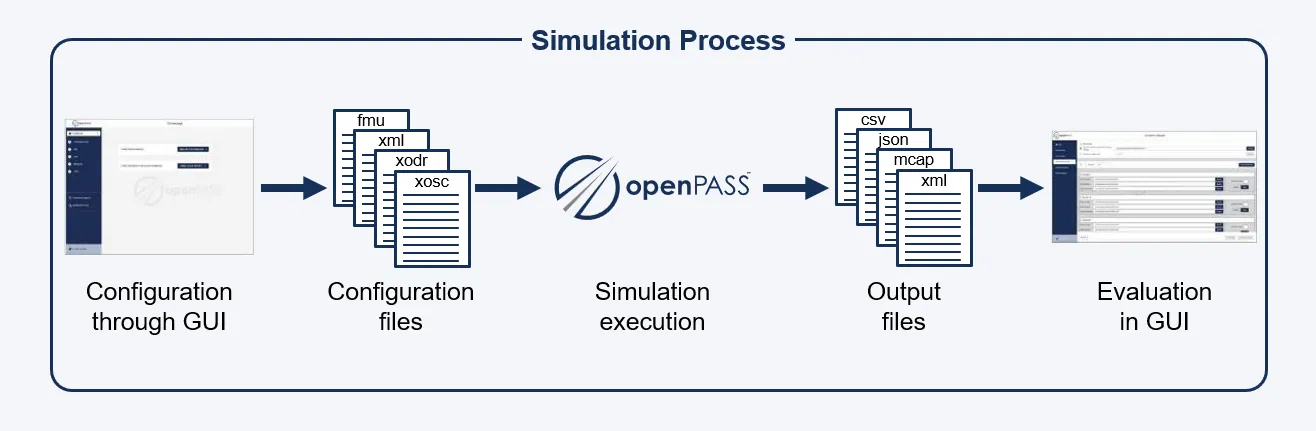
The illustration above shows the simulation process in openPASS. By configurations in the GUI the user sets up the desired simulation run. Basically, the GUI supports the user to set up the simulation in accessing and writing XML, XODR and XOSC files. After the setup of the configuration files the simulation can be executed. As an output CSV, JSON, MCAP and XML files are generated. For the future, the evaluation over the GUI should be available which is yet still under development.